

Table of contents
- What Does Employee Attendance Using GPS Mean?
- Why GPS-Based Employee Attendance Is Better Than Old Methods
- How GPS-Based Employee Attendance Works (Step by Step)
- Benefits of Employee Attendance Using GPS
- GPS vs Traditional Employee Attendance
- Things to Keep in Mind When Using GPS for Attendance
- How DutyPar Helps Track Employee Attendance Using GPS
- Simple Best Practices to Get Started
- Final Thoughts
Managing employee attendance is not just about who came to work. It affects payroll, productivity, client service, and trust across your team. When employees work on-site, in the field, or across multiple locations, traditional attendance methods like paper logs or punch machines quickly fall short.
This is where employee attendance using GPS becomes a powerful, simple, and modern solution. It helps you know not only when someone checked in, but also where they were at that time.
What Does Employee Attendance Using GPS Mean?
Employee attendance using GPS means using mobile GPS location data to track when and where employees start and end their work.
Instead of clocking in on a physical machine, employees:
- Use a mobile app on their phone.
- Tap a button to mark attendance.
- The app captures time and GPS location.
This method works very well for:
- Field staff
- Sales teams
- Service technicians
- Remote or hybrid employees
- Multi-branch or on-site project teams
You get a clear and trusted record of attendance with location proof.
Why GPS-Based Employee Attendance Is Better Than Old Methods
Traditional attendance systems rely on physical presence at a fixed point, like a biometric device or register. These systems fail when employees are spread across different sites.
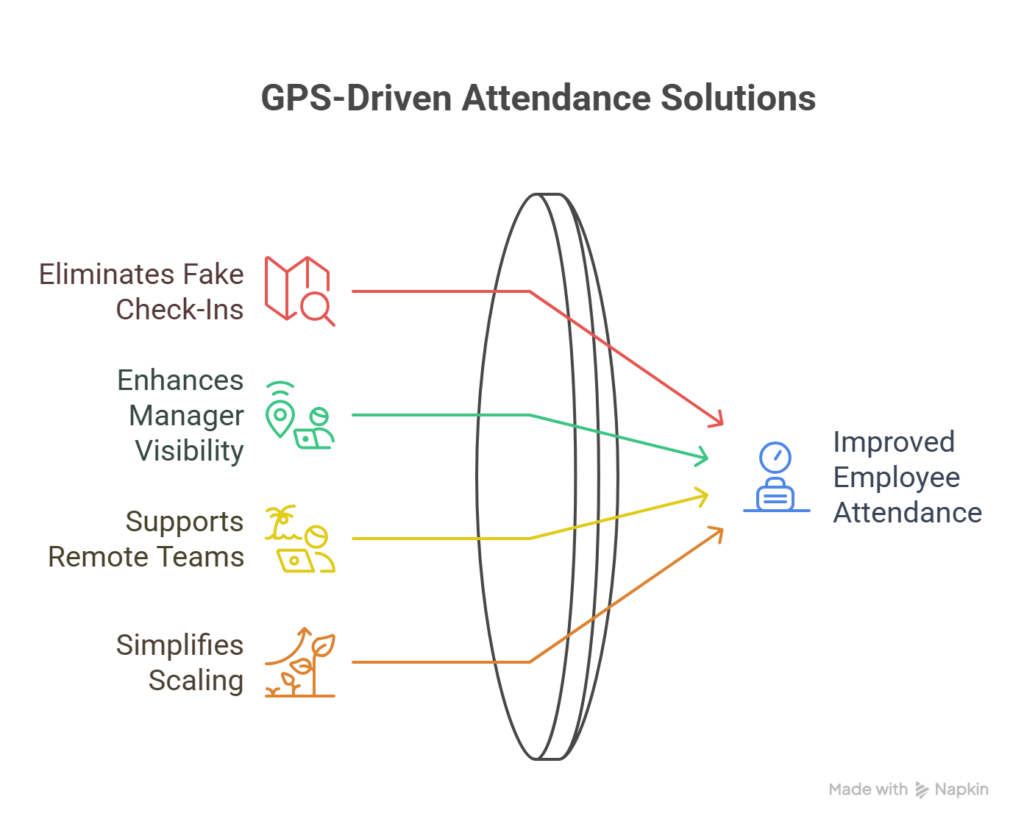
Using employee attendance using GPS solves common problems:
- No more fake check-ins
Attendance requires being at the right location, not just pressing a button. - Better visibility for managers
You can see who is at which site in real time. - Perfect for field and remote teams
Employees do not need to visit the office just to mark attendance. - Simple to scale
Adding new locations or teams often needs only configuration in the app, not new machines.
How GPS-Based Employee Attendance Works (Step by Step)
Even though GPS sounds technical, daily use feels simple for employees and managers.
1. Setup and Registration
First, you add employees to the system:
- Create profiles for each employee.
- Assign them to teams, roles, or locations.
- Ask them to install the attendance app on their smartphones.
You define allowed or approved locations, like offices, client sites, or project areas.
2. Marking Attendance with GPS
When it is time to start work, employees:
- Open the app.
- Tap “Mark In” or “Check In.”
- The app captures the current time and GPS location.
At the end of the day, they tap “Mark Out” or “Check Out.” The system records the out-time and location as well.
Some systems allow mid-day site updates or breaks. This depends on your policy.
3. Geo-Fencing for Accurate Locations
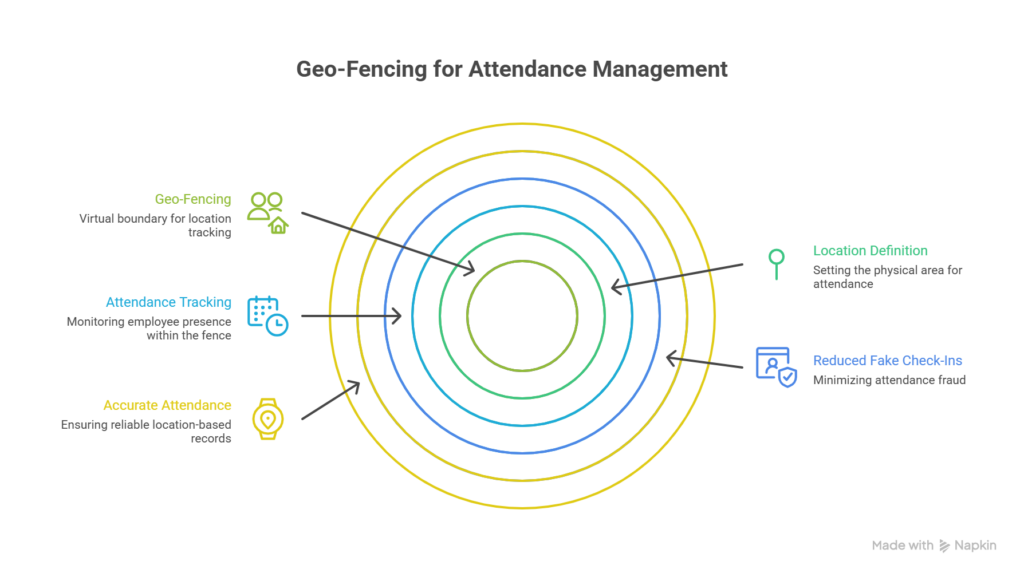
Most modern tools use geo-fencing.
Geo-fencing means:
- You define a virtual boundary around a physical location, like a 200–500 meter radius around an office or site.
- The app allows attendance only when the employee is inside this defined area.
This reduces fake check-ins from home or non-work locations. It ensures that employee attendance using GPS is not just time-based, but location-verified.
4. Real-Time Dashboard and Reports
Managers and HR teams can:
- See live attendance status.
- Check who is present, who is late, and who has not checked in.
- View which locations are active and staffed.
Reports can show:
- Daily, weekly, or monthly attendance.
- Work hours per employee.
- Site-wise presence.
This makes payroll, invoicing, and performance tracking much easier.
Benefits of Employee Attendance Using GPS
Saves Time for Everyone
Employees no longer need to:
- Travel to a central office just to punch in.
- Stand in lines at biometric machines.
Managers no longer:
- Manually approve attendance from scattered records.
- Spend hours cleaning and merging data.
One app, one tap, and attendance is done.
Increases Trust and Transparency
Employee attendance using GPS creates a fair and transparent system:
- Honest employees get credit for being on-site on time.
- Managers rely on real data instead of guesses or verbal updates.
- Disputes about “I was there” or “I came on time” reduce sharply.
The system builds trust both ways when used properly and communicated clearly.
Perfect for On-the-Go Teams
If your teams work:
- On construction sites
- At client offices
- On delivery or field service routes
then GPS-based employee attendance is a natural fit. They can mark attendance at any approved client or project location without physical machines.
GPS vs Traditional Employee Attendance
| Feature | Traditional Attendance | Employee Attendance Using GPS |
|---|---|---|
| Check-in method | Biometric / card / paper | Mobile app with GPS location |
| Location verification | Often none | Verified by geo-fencing and GPS |
| Ideal for field staff | No | Yes |
| Hardware required | Machines at each location | Only smartphones and backend system |
| Real-time visibility | Limited | Strong, with live dashboards |
| Proxy or fake check-ins | Common | Much harder |
| Scaling to new sites | Costly and slow | Quick app-based configuration |
Things to Keep in Mind When Using GPS for Attendance
To make employee attendance using GPS work well, you should plan a few important points.
Clear Policies and Communication
Inform employees about:
- Why you are using GPS-based attendance.
- What data the app collects (time and location).
- How you will use this data (attendance, compliance, safety).
When people understand the purpose, they are more comfortable and cooperative.
Battery and Data Usage
Good apps are optimized for battery and data usage.
Make sure:
- The app does not run heavy background tracking all day if not needed.
- It reads location mainly during check-in and check-out, and when policy demands.
This makes the experience smooth for employees.
Respect for Privacy
Respecting privacy is key for trust:
- Use location data only for work-related purposes like attendance or safety.
- Avoid tracking employees outside working hours, unless it is clearly required and agreed.
- Allow employees to view their own attendance history.
When you treat data responsibly, employees feel safer and more valued.
How DutyPar Helps Track Employee Attendance Using GPS
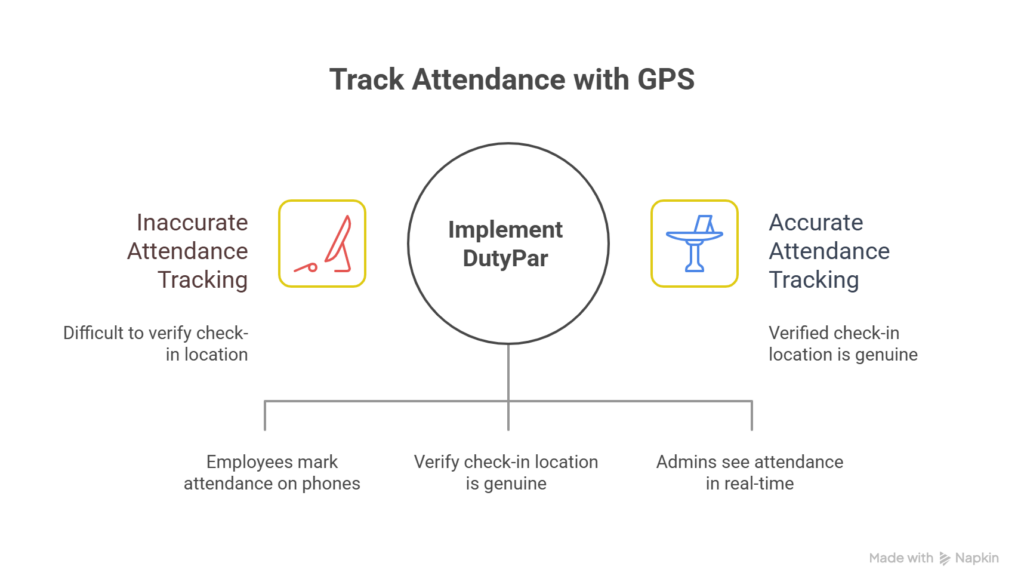
DutyPar, known for smart attendance solutions in education and training, also supports attendance flows that work very well for distributed teams and multiple locations.
With DutyPar:
- Employees and teachers can mark employee attendance or staff attendance using their phones.
- The system supports GPS-based and geo-tagged attendance, so you know the check-in location is genuine.
- Admins can see real-time dashboards with site-wise and user-wise attendance.
For institutes and organizations that already use DutyPar for AI-based or facial attendance, adding GPS-backed flows can be a natural extension.
DutyPar focuses on:
- Simple, clean app interfaces.
- Fast processing and reliable records.
- Strong reporting that helps management and HR.
This makes it a practical tool if you want to combine features like face recognition, group attendance, and employee attendance using GPS under one platform.
Simple Best Practices to Get Started
If you want to start tracking employee attendance using GPS, here are a few practical tips:
- Start with a pilot group
Test with one team or one branch before rolling out to everyone. - Define your locations and geo-fences
Add all offices, sites, and client locations in the system with suitable radius. - Train your employees briefly
Show them how to install the app and mark attendance. - Review early reports
Check if check-ins align with expected locations and times. Adjust policies if needed. - Take feedback
Listen to employees about usability, timing, or network issues. Small tweaks often improve adoption.
Final Thoughts
Tracking employee attendance using GPS is one of the simplest ways to modernize your attendance process, especially if you have field staff, remote workers, or multiple locations.
It gives you:
- Accurate time and location data
- Better visibility and control
- Less manual work for HR and managers
- A fair and transparent system for employees
When combined with a reliable platform like DutyPar, GPS-based employee attendance becomes not just a tech feature, but a daily habit that supports productivity, compliance, and trust.
Read More: Zoho